In the browser
Right away, any time
Open SeedCounter and load your image; the profile is optional. Nothing to install, no sign-up, and the image never leaves your computer.


For labs
The app is the same for everyone and opens in the browser. What changes from one lab to another is what surrounds it: the capture bench, the protocol classes, checking against your own samples, and the team that will use it. We set that part up together.
Two ways to use it
In the browser
Open SeedCounter and load your image; the profile is optional. Nothing to install, no sign-up, and the image never leaves your computer.
In the lab
For people who will use it every day: the bench, the protocol and the team tailored to your lab, with the app's count checked against yours before the routine changes.
What is included
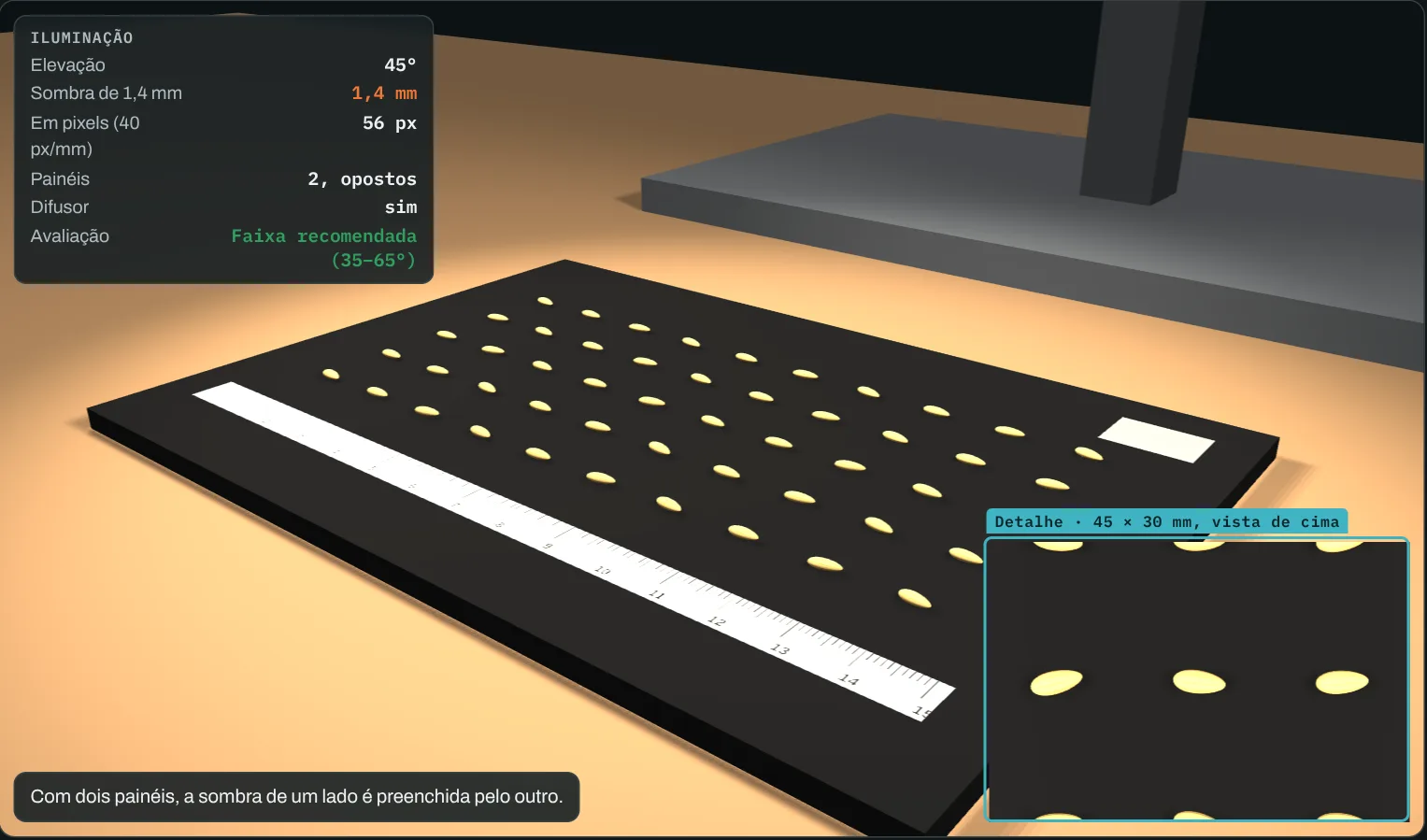
Camera or scanner, light, background and ruler chosen to fit the size of your seeds. The layout is designed in 3D first, with the camera height, the scale in pixels per millimeter and the shadow each light angle casts.
The classes you use (tetrazolium, purity, forage species or others), with color and marker shape, and profiles for the people who count and the people who check.
The same plates counted by hand and in SeedCounter, with the difference written up plate by plate in a report. The routine only changes after that.
One session with the people who will use it, from the first click to the test report, with your own images.
When a new crop comes in or the protocol changes, we adjust the setup together.
Why the bench matters
With low-angle light, one seed's shadow touches its neighbor and the algorithm may see two seeds as one. With overhead light, glare appears. Between the two there is a range where the outline comes out clean, and it depends on the seed, the background and the camera height.
How it starts
Crop, test, how many samples per week and how you take photos today. The button below opens an email with those questions.
One of your current bench and one of a typical plate, the way you shoot them today.
The bench design and the plan for checking against your samples, so you can decide.
Open the app with one of your images. It runs in the browser and nothing is sent to a server.
This site uses Google Analytics and Microsoft Clarity to learn which pages get read, and none of it loads before you choose.